
Why YubiKeys Matter in 2026: AI, Passkeys & Security

Artificial intelligence is changing how Australian businesses work. From ChatGPT and Microsoft Copilot to software development and cybersecurity research, AI accounts are increasingly connected to valuable information, tools and infrastructure. That also makes account security more important.
Passwords can be stolen. One-time codes can be phished. A physical security key such as a YubiKey can offer a stronger way to sign in by using phishing-resistant cryptographic authentication on supported services.
In this guide, PC LAN explains what YubiKeys do, the new connection between AI and hardware security, how passkeys compare with conventional two-factor authentication, and which model may suit your needs.
1. What Is a YubiKey?
A YubiKey is a small hardware security device made by Yubico. Instead of depending only on a password or a code delivered to your phone, it can confirm your identity using cryptographic credentials stored in dedicated hardware.
Depending on the model, a YubiKey connects using USB-A, USB-C or NFC. When signing in, you might insert the device, tap an NFC-enabled phone, touch the key, or enter a PIN, depending on the account's authentication setup.
- FIDO2 / WebAuthn: Phishing-resistant sign-in and passwordless authentication on supported platforms.
- FIDO U2F: Hardware-backed two-factor authentication.
- Passkeys: Cryptographic credentials that can replace passwords on compatible services.
- PIV, OpenPGP and OTP: Extra authentication and cryptographic features offered by selected YubiKey 5 Series models.
A YubiKey is not a normal USB flash drive and does not need charging. Its job is to help authenticate access, not to store ordinary documents.
2. Why Are Security Keys Getting More Attention in 2026?
AI accounts now protect valuable business access
AI platforms may contain confidential conversations, uploaded documents, business workflows, source-code context and connections to other services. An attacker who takes over an account might access information or misuse paid features depending on the permissions available.
In September 2026, the Australian Cyber Security Centre (ACSC) warned organisations about compromised AI credentials, stolen tokens, exposed sessions and third-party access risks. The ACSC recommends phishing-resistant multi-factor authentication for AI accounts and separate protections for API keys and service identities.
Phishing messages are becoming more convincing
Attackers can create realistic emails and fake login pages that trick people into entering passwords and one-time security codes. With properly configured FIDO2 authentication, a fraudulent website cannot simply obtain a valid sign-in response intended for the genuine website.
Major platforms are supporting passwordless login
Microsoft, Google and other technology providers support passkeys and FIDO2 authentication. Businesses are increasingly considering these methods for employees—especially those with administrator or privileged access.
Important: Not everyone adopting passkeys needs a physical security key. A passkey saved on a supported phone or computer can also provide phishing-resistant authentication. Dedicated hardware keys are particularly useful where separate, device-bound credentials or organisational controls are required.
3. The AI Connection: OpenAI, ChatGPT and Hardware Security Keys
One notable development in 2026 is the OpenAI and Yubico partnership, announced on 30 April 2026 alongside OpenAI's Advanced Account Security feature.
Advanced Account Security is an opt-in protection setting for eligible personal ChatGPT accounts. It requires passkeys or physical security keys and tightens sign-in and recovery protections. When enabled, its protections also extend to Codex accessed through that account.
For individual access to OpenAI Daybreak, part of its Trusted Access for Cyber program, the account-security requirements go further: an eligible user must have Advanced Account Security and at least one compatible physical FIDO2 security key. Existing individual users were required to meet those requirements by 1 October 2026 to keep their access.
This is a clear example of hardware security becoming a requirement for certain advanced AI and cybersecurity workflows.
Does every ChatGPT user need a YubiKey? No. Standard ChatGPT use does not require a physical YubiKey. The Daybreak hardware-key requirement applies to a specific approved individual-access program. Other qualifying FIDO2 hardware keys may also be accepted; a YubiKey is one compatible product family, not the only possible manufacturer.
Automated AI agents are different: unattended systems generally use securely managed API credentials or workload identities, not a person physically touching a YubiKey for every automated operation.
Anthropic Claude is tightening security for advanced cybersecurity access
Anthropic's Cyber Verification Program provides approved cybersecurity professionals with access to specialised AI capabilities. Under the program's security requirements, applicable Defense Access accounts must move to phishing-resistant MFA by 15 December 2026, while certain higher-access levels already require it.
Anthropic accepts several qualifying methods, including FIDO2/WebAuthn security keys, compatible device or password-manager passkeys and smartcard/PIV authentication. A YubiKey can be a suitable option, but Anthropic does not require every Claude user to buy one.
4. How Does a YubiKey Stop Phishing?
Imagine receiving an email that looks like a Microsoft 365 security alert. The link takes you to a convincing fake login page.
With a password and an SMS or authenticator-generated code, an attacker may be able to collect or relay what you enter. With FIDO2/WebAuthn, the authentication response is cryptographically bound to the legitimate website, making this sort of credential-phishing attack far harder to succeed.
| Sign-in method | Key security consideration |
|---|---|
| Password only | Can be stolen, guessed or reused. |
| SMS verification | Adds protection but the codes can still be phished. |
| Authenticator app codes | Useful additional factor; manually entered codes may still be relayed. |
| Phone or computer passkey | Phishing-resistant, without requiring separate hardware. |
| YubiKey with FIDO2 | Phishing-resistant, with credentials stored on a dedicated physical authenticator. |
No single product can stop every cyberattack. Device malware, compromised browser sessions, insecure recovery methods and excessive account permissions still need to be addressed.
5. Who Should Consider a YubiKey?
- Microsoft 365 and Entra ID administrators: To strengthen protection for high-privilege business accounts when security keys are enabled in the organisation.
- AI developers and cybersecurity researchers: To protect supported AI account sign-ins, source-code services and privileged access.
- Managed service providers (MSPs): To help secure technician accounts that may have access to multiple client environments.
- Accounting and professional services: To strengthen sign-in security around confidential client information.
- Government suppliers and regulated organisations: To support appropriate phishing-resistant MFA strategies, subject to exact compliance and technical requirements.
- Security-conscious individuals: To protect important email, password-manager and other compatible accounts.
6. Which YubiKey Should You Buy?
PC LAN offers several YubiKey options. The right choice depends on your computer's connection, NFC needs and the authentication protocols used by your organisation. Here are four models to compare.
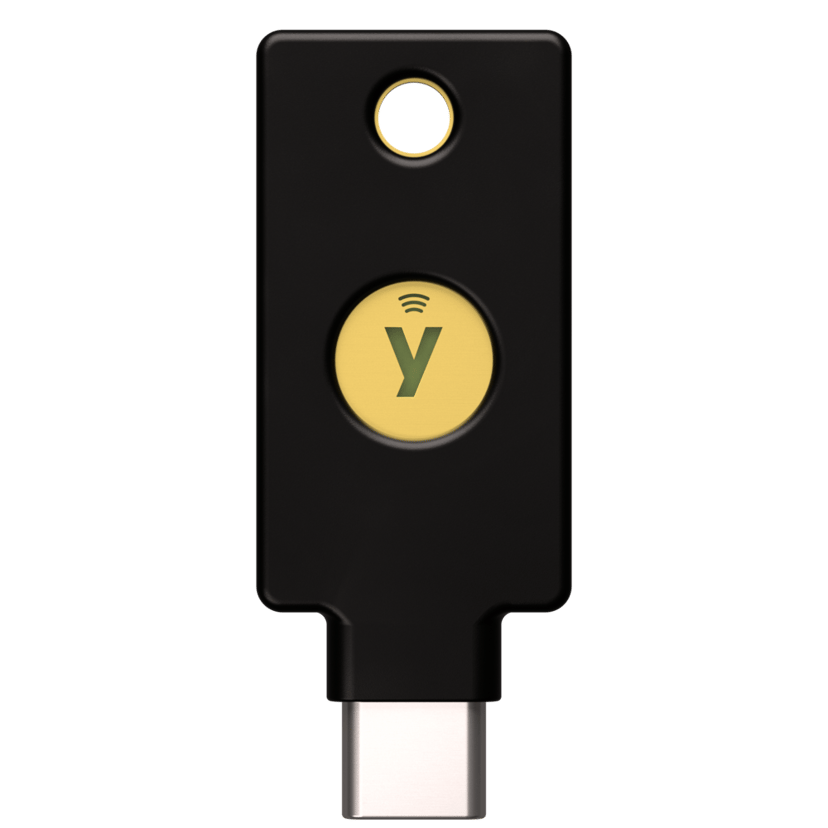
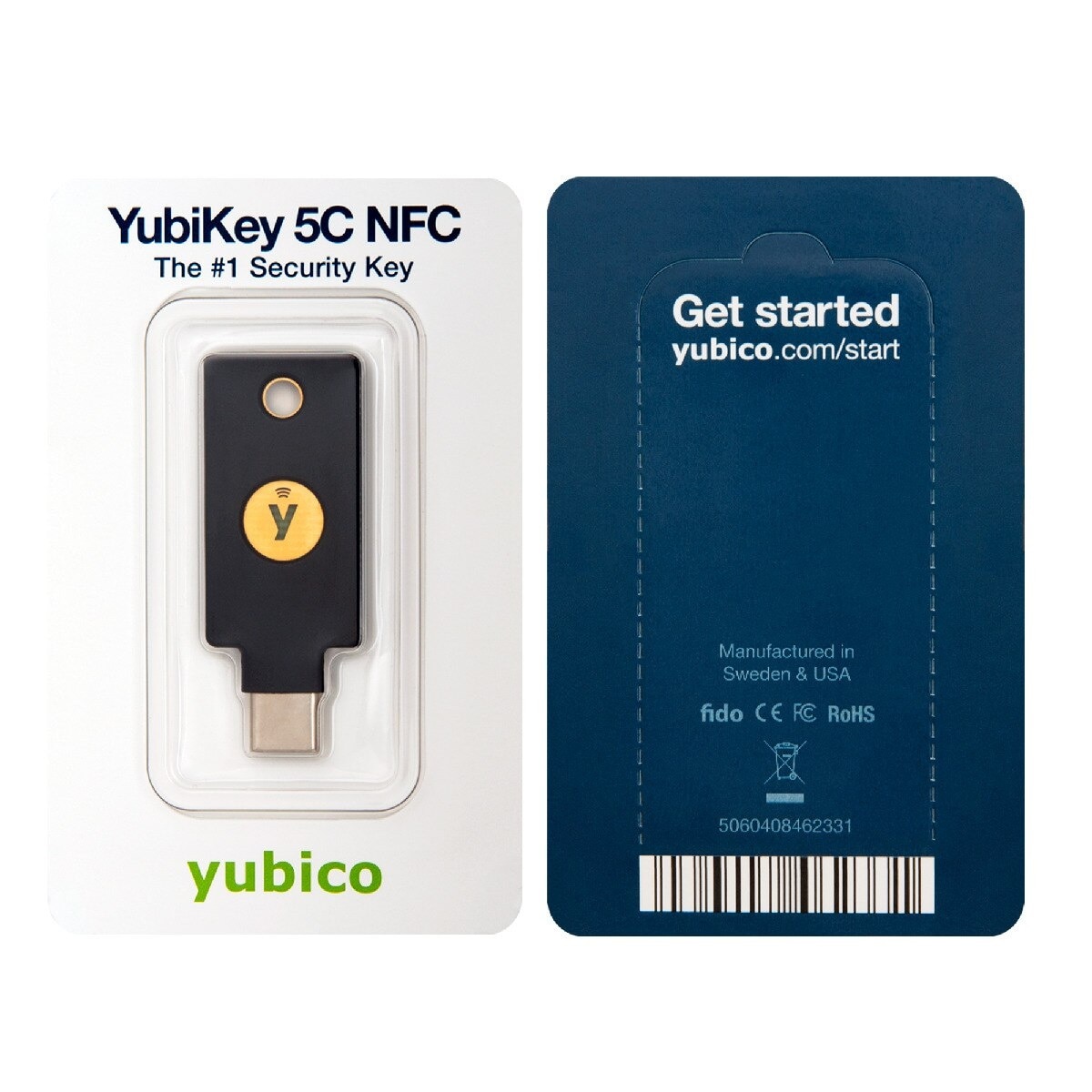
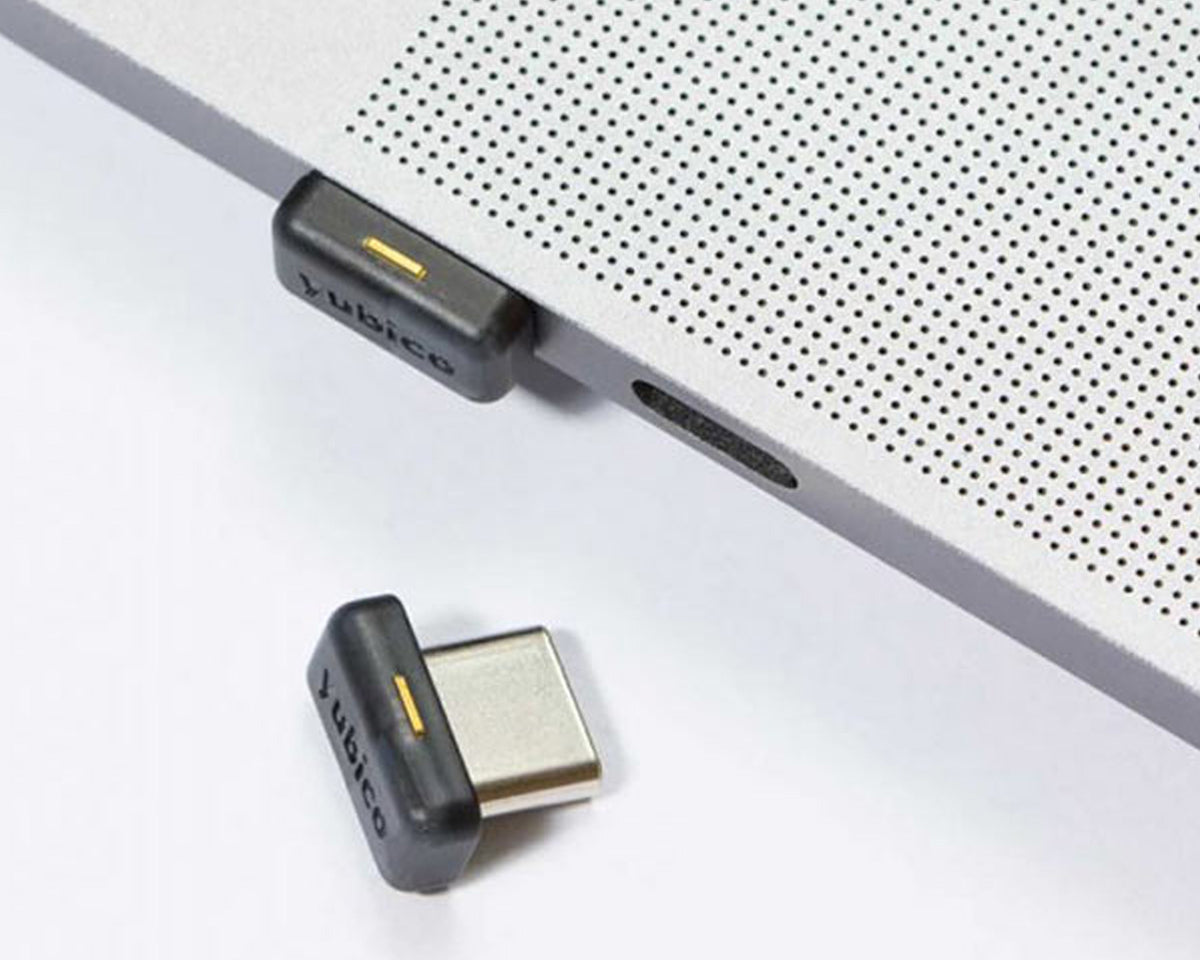
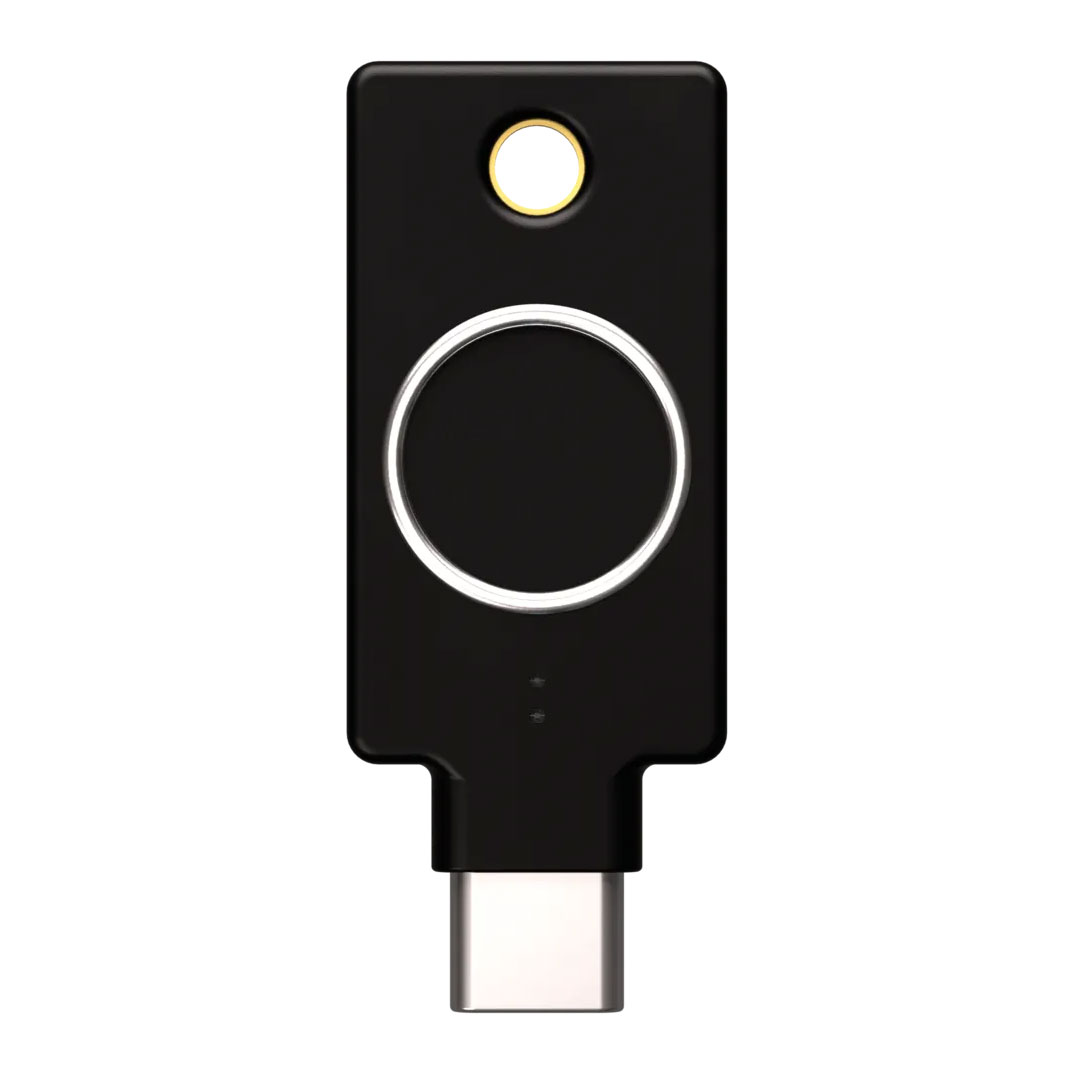
Product images are illustrative. Confirm your selected model and firmware on the PC LAN product page before ordering.
Why firmware version matters
A YubiKey's firmware is generally not upgradeable after purchase. Newer versions, including supported 5.8 models, introduce capabilities for newer use cases. If your project specifies a firmware version, security protocol or certification, check the exact model before buying.
7. Should You Buy a Backup YubiKey?
For important accounts, using a primary key and a separately stored backup key is a sensible approach when multiple keys can be registered. If your everyday key is lost, the registered backup can help you sign in without depending entirely on account recovery.
Register the backup in advance, keep any provided recovery codes in a secure place, and review the recovery rules of each service. Losing every registered method and your recovery information can result in a difficult or impossible account recovery process.
8. Getting Started: Five Simple Steps
- Check service compatibility. Confirm that your account or organisation supports FIDO2 security keys and that you have the correct USB connector or NFC capability.
- Choose a suitable model. Decide whether you need standard FIDO2 authentication or additional 5 Series features such as PIV and OpenPGP.
- Open your account's security settings. Find the security key, passkey or authentication-method registration option.
- Register and test the key. Follow the prompts, including touching the key or entering a PIN if requested.
- Add a backup and protect recovery codes. Test the recovery plan before disabling older authentication methods.
9. Frequently Asked Questions
Is a YubiKey required for normal ChatGPT use?
No. A physical FIDO2 key is required for certain specialised OpenAI individual-access programs, not general ChatGPT use.
Is a YubiKey better than an SMS code?
Properly configured FIDO2 authentication is phishing-resistant, unlike manually entered SMS security codes. It is an excellent choice for high-value accounts.
Can one YubiKey secure multiple accounts?
Yes. One compatible key can be registered with multiple supported accounts, subject to the service and the key's credential capacity.
Do I need a YubiKey if I already use a passkey on my phone?
Not necessarily. A phone passkey can already offer strong phishing resistance. A dedicated key is useful when a service requires hardware authentication or when you prefer separate, portable credentials.
Does purchasing a YubiKey automatically meet compliance requirements?
No. Compliance depends on the authentication method, model, configuration, recovery procedures and broader organisational controls.
10. Final Thoughts: Why Hardware Authentication Matters
AI is increasing the value of digital accounts, while phishing and credential theft remain serious risks. Microsoft's adoption of passkeys, OpenAI's Advanced Account Security and Australian cybersecurity guidance all point towards the importance of stronger authentication.
YubiKeys are not mandatory for every user, and they are not a replacement for comprehensive cybersecurity controls. However, for organisations, developers and professionals managing valuable accounts, dedicated phishing-resistant hardware authentication is an increasingly practical investment.
Protect Your Accounts with YubiKey
Explore USB-C, NFC, compact and fingerprint security keys at PC LAN Australia. Need multiple units for your business? Contact our sales team for assistance.
Shop YubiKeys at PC LAN →Business enquiries: sales@pclan.com.au
Sources and further reading
- OpenAI — Introducing Advanced Account Security (30 April 2026)
- OpenAI — Daybreak / Trusted Access for Cyber requirements
- Anthropic — Cyber Verification Program security requirements
- Australian Cyber Security Centre — Protect your organisation's AI services (29 September 2026)
- Yubico — YubiKey 5C NFC product specifications
Information correct as at 13 October 2026. Compatibility, program eligibility, firmware features, availability and product specifications may change. Confirm requirements with the relevant service provider and product listing before purchase.